Raptor Maps offers several export formats for varying use cases. Follow the guide below for instructions on how to access these exports.
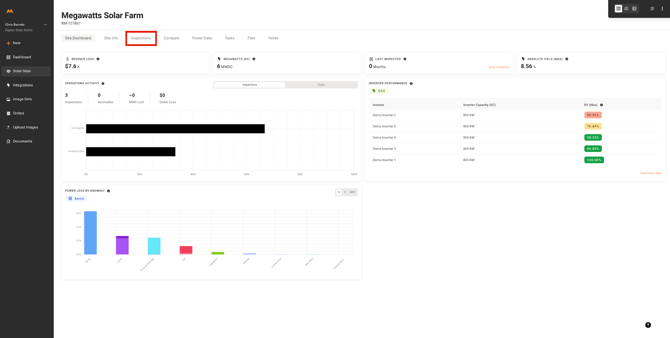
1. Navigate to Solar Site Dashboard
- From the Solar Sites list, select the site for exporting inspection findings
- Select the Inspections tab from the Solar Site Dashboard
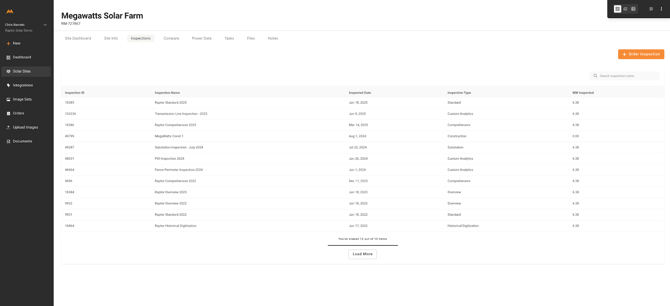
2. Select the Inspection Report to Export
- On the Inspection Tab, select the desired Inspection report for exporting
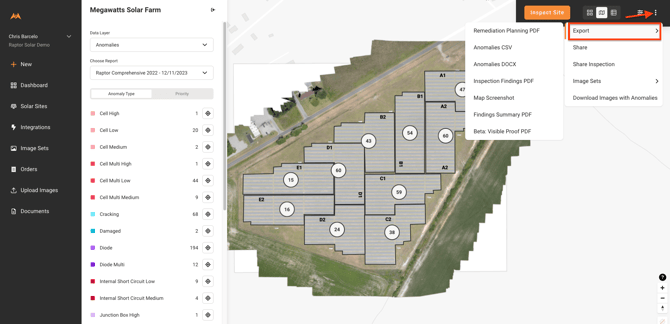
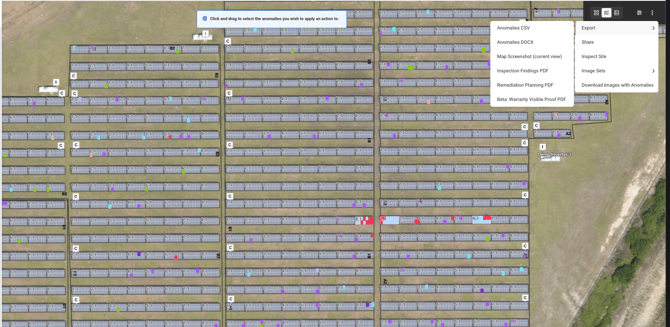
3. From the Inspection Viewer, select the “kebab” menu in the top right corner (three vertical dots)
- Hover over the Export option and select the deliverable format
Export Definitions
Anomalies CSV
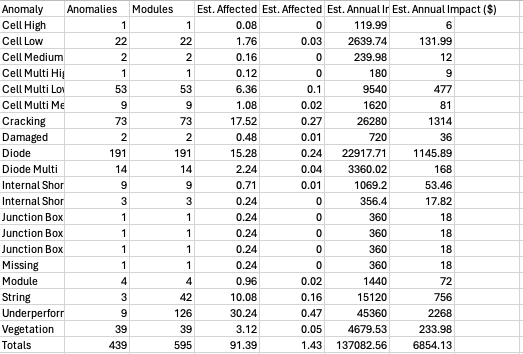
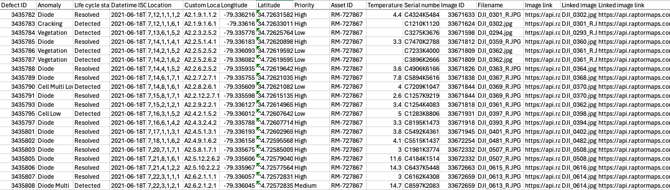
The Anomalies CSV is exported with two files, a Summary file and a Data file.
The Summary is a tabular summarization spreadsheet of the inspection findings.
The Data file is a detailed spreadsheet listing of all anomalies, and includes circuit location, latitude and longitude, temperature deltas (where applicable), priority, anomaly status, and a link to imagery downloads.
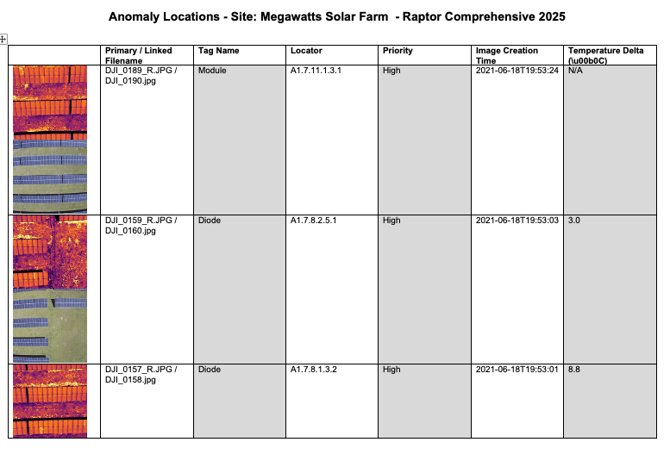
Anomalies DOCX
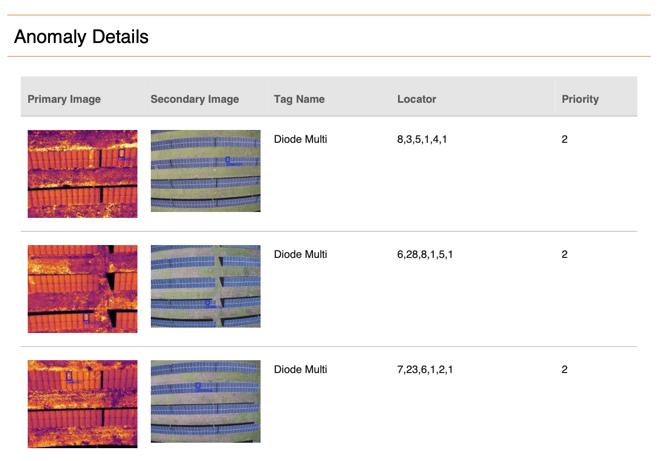
The Anomalies DOCX is exported as an anomaly data list with image thumbnails.
Map Screenshot
The Map Screenshot export can be used in two ways.
- Full Map
- Specific Area
The full anomaly map will be exported if the export is selected when a user is zoomed out on the anomaly map.
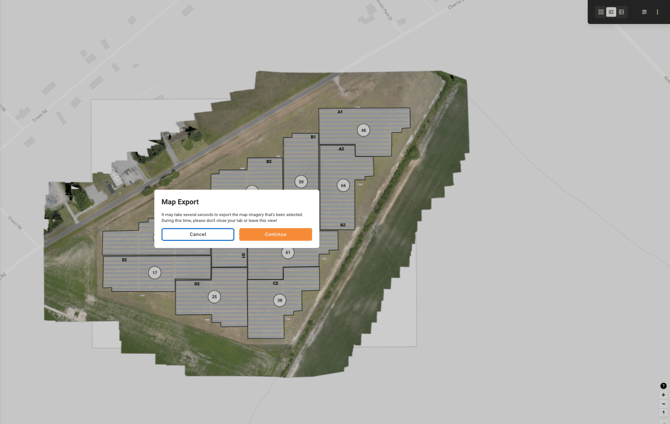
To export a specific area, a user can select the export when zoomed in on the map.
Inspection Findings PDF
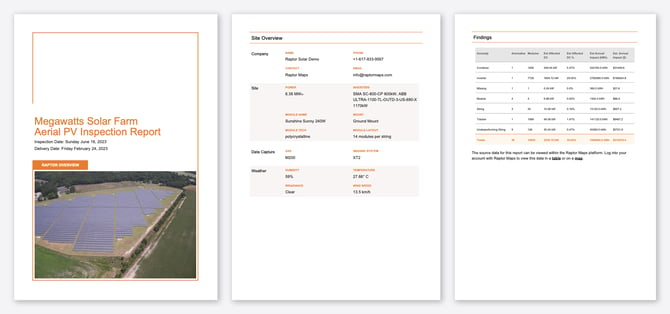
The Inspections Findings PDF is a summary file for an inspection with a cover page, site equipment details, and summary table of inspection findings.
Remediation Planning PDF
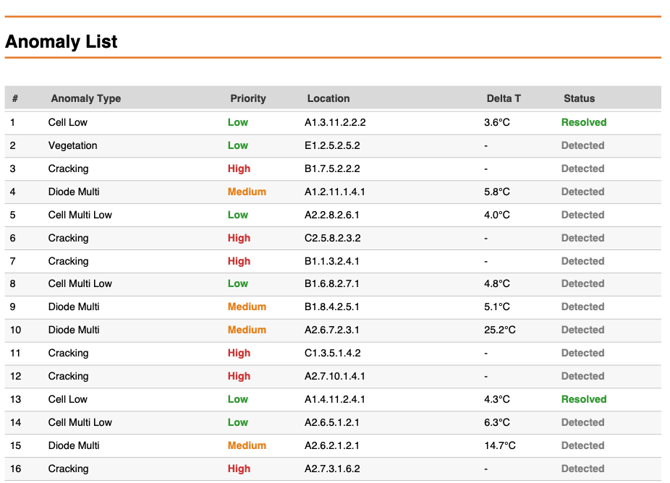
The Remediation Planning PDF is an export file that includes a summary table, a detailed anomaly list, as well as map screenshots. This export will respect any filters that are applied prior to export.
Beta: Visible Proof PDF
The Visible Proof PDF is in beta testing, but is an export that is a detailed anomaly list with inspection imagery. This export will respect any filters that are applied prior to export.