
.png?width=371&height=487&name=image%20(27).png)
If you are experiencing the above issue, please delete the Raptor Solar app and re-install the new version. Follow these steps:
- Delete the Raptor Solar app from your phone
- Download and re-install the latest version of the app from your app store (iOS or Android)
- Open the app and log in with your existing credentials
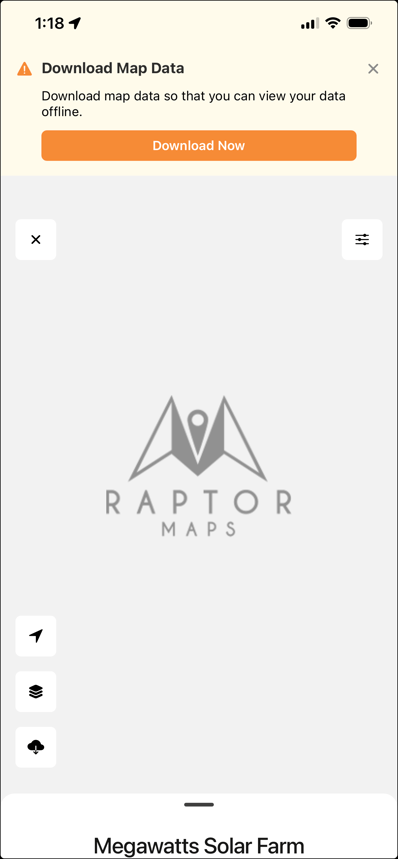
Raptor Solar is now an offline-first mobile experience, which requires users to download data before they can view it.
To download site data follow these steps:
-
Select your site
-
Click “Download Now”
-
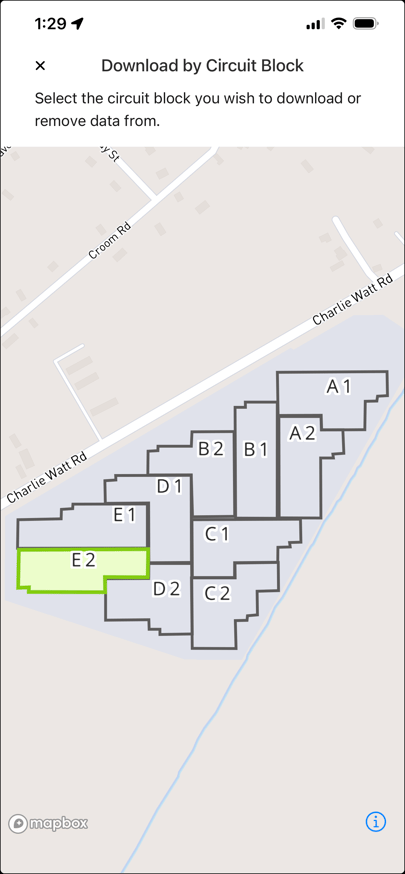
On the map view, select a circuit block for download. Currently, Raptor Solar only allows for single circuit block downloads at a time to ensure successful data transfer. Note: It is highly recommended that downloads are performed with a reliable wifi or strong cellular data signal prior to a site deployment
-
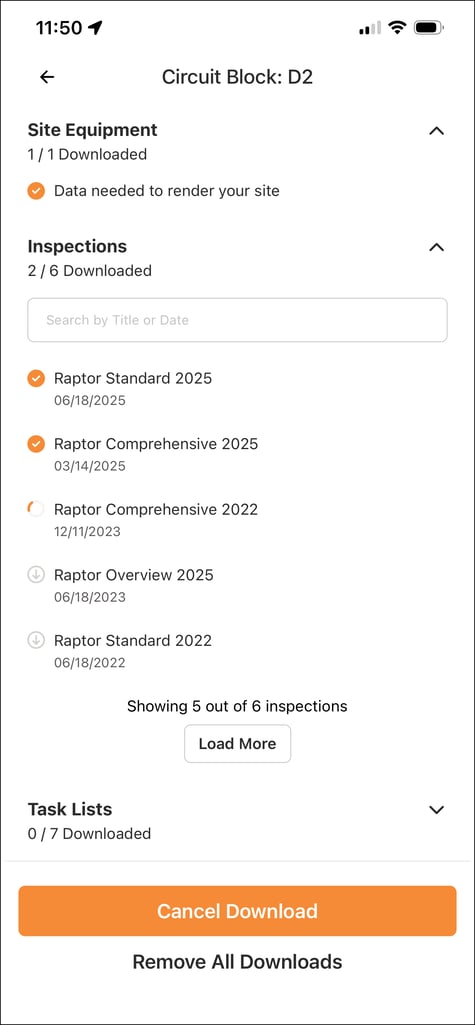
On the following page, you will prompted to select the following elements for download by opening the dropdown, and selecting the data you wish to utilize
-
Site Equipment (downloaded by default) - This will allow you to see all digital rows and modules
-
Inspections - Tap on a report title to download the inspection findings and see associated anomalies in the selected circuit block
-
Task Lists - Tap on a task list title to download task lists that have been created for remediation work in the selected circuit block
-
- Select site name to use downloaded data
-
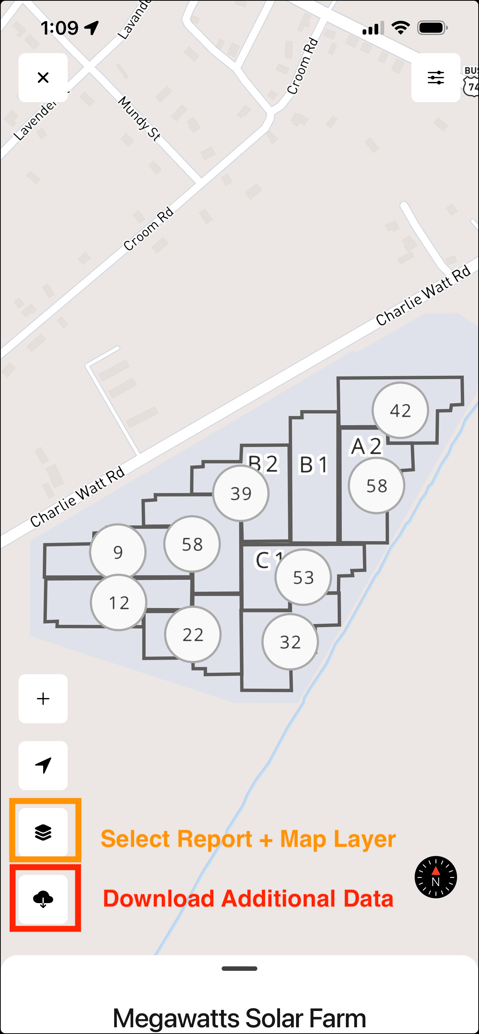
To download additional circuit blocks, select the "Download" icon as shown below
-
-
-
- Select additional data to download
- Select additional data to download
-
-
-
- To remove downloads for a block, select "Remove All Downloads"
-